How to open one

In OSCAR, choose File > Open project or template and pick a name. Each template is one ordinary HTML and CSS file, so you can also paste it into File > Import HTML/CSS, read it, restyle it, or keep a section and throw the rest away. Publish it, and it opens on any phone or tablet on your network. Download OSCAR if you have not yet.

For show software

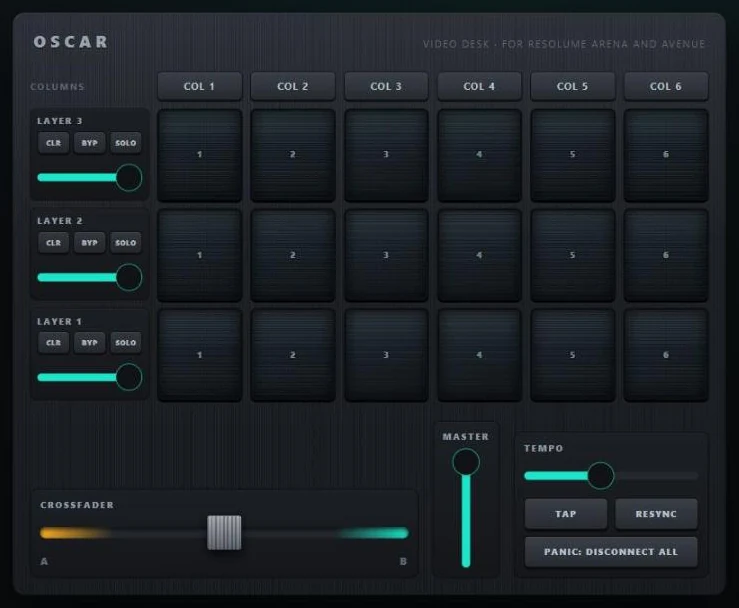
Resolume Video Desk template: a clip grid of three layers by six columns, a T-bar crossfader, master, tempo and panic.

Resolume Video Desk

A clip grid of three layers by six columns, each clip a little screen that lights while it is held; a strip per layer with CLEAR, BYPASS, SOLO and opacity; column triggers across the top; and a lower deck with the crossfader as a T-bar, the master, tempo with TAP and RESYNC, and PANIC. Every address is Resolume's own, and the faders follow Resolume back.

Sends OSC to Resolume Arena and Avenue. Guide
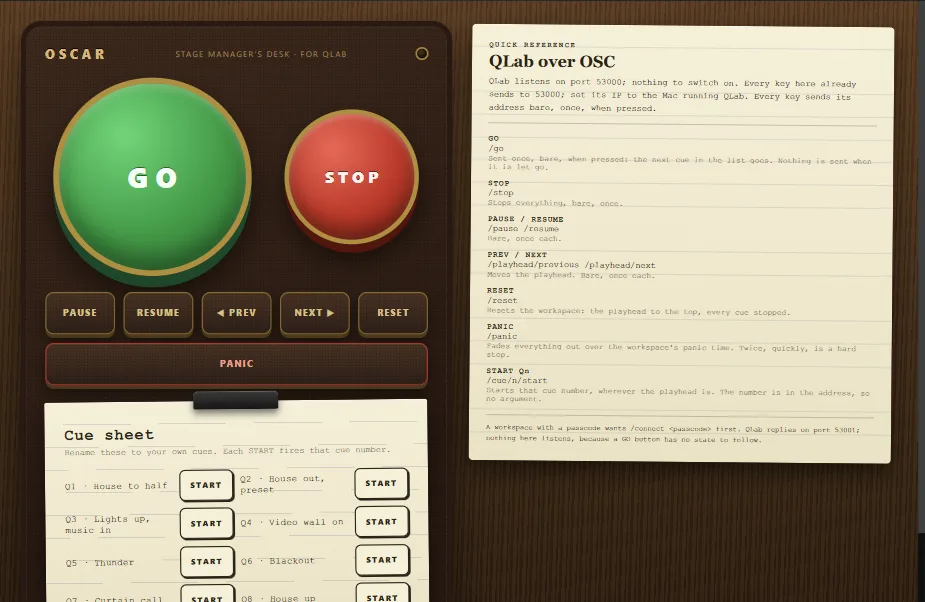
QLab Stage Manager's Desk template: a big green GO and red STOP on a leather pad, brass transport keys, a panic bar and a paper cue sheet.

QLab Stage Manager's Desk

A prompt desk in wood: a leather pad with a big green GO and a red STOP, brass keys for PAUSE, RESUME, PREV, NEXT and RESET, a PANIC bar, a lamp that lights while any key is down, and a paper cue sheet with a START key for each of eight cues. Works with QLab 4 and 5 with nothing to switch on.

Sends OSC to QLab. Guide
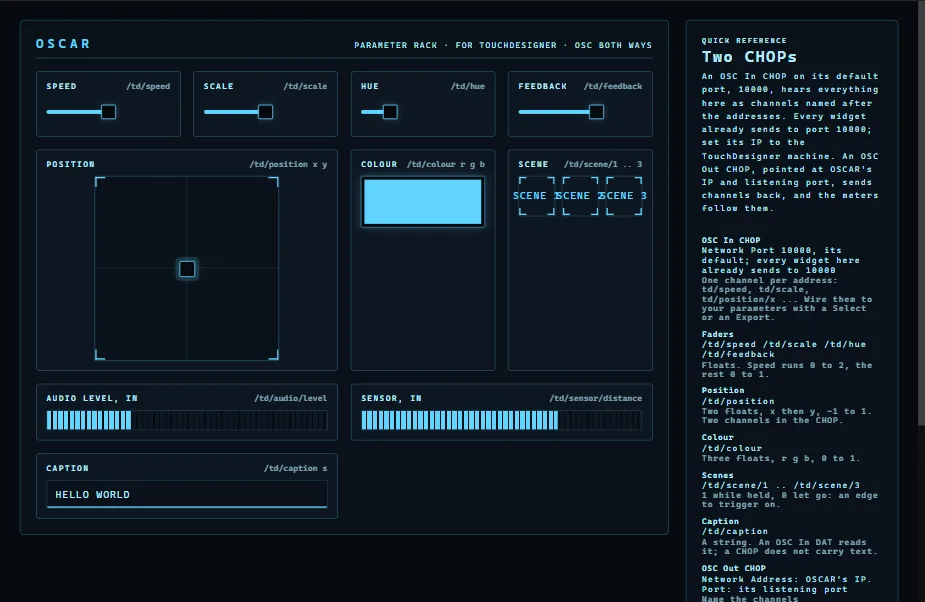
TouchDesigner Parameter Rack template: four faders, a position pad, a colour, three scene triggers, a caption and two meters.

TouchDesigner Parameter Rack

The shape most TouchDesigner control needs: a few named parameters out (four faders, a position, a colour, three scene triggers, a caption) and a few readings back in (an audio level and a sensor, each a meter). Nothing is named after a node, so you rename the addresses to yours. A demo patch and two sketches come with it.

Sends and receives OSC with TouchDesigner. Guide
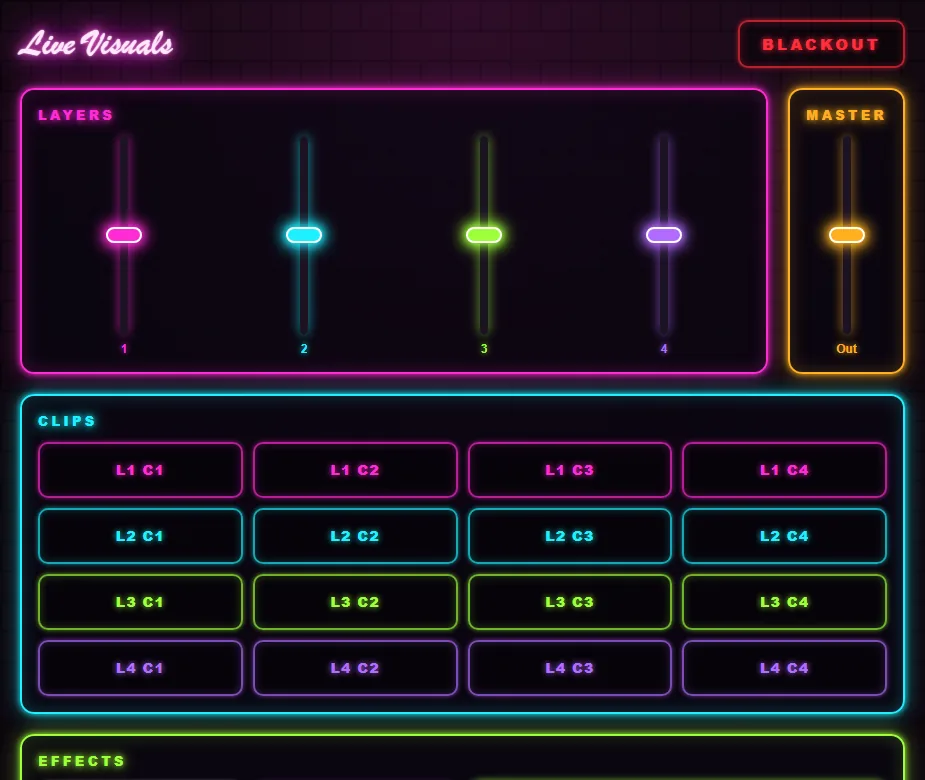
Live Visuals Controller template: layer faders, a clip grid and effect keys drawn as neon signs.

Live Visuals Controller

An interface for running visuals at a show, dressed as a wall of neon signs: layer opacity faders, a clip grid, effect toggles for blur, feedback and invert, a master and a blackout. Generic addresses, so it suits any VJ software or media server that takes OSC.

Sends OSC.
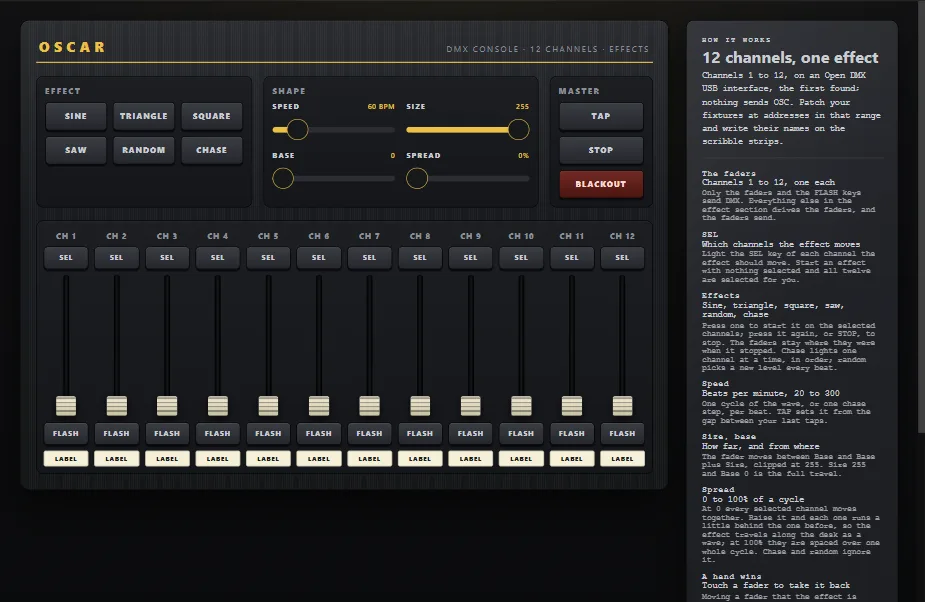
DMX Console template: twelve channel faders with select and flash keys, and an effects engine above them.

DMX Console, 12 Channels

A generic lighting desk with an effect engine. Twelve channel strips, each a fader, a SEL key, a FLASH key and a scribble strip, for whatever fixtures sit on DMX channels 1 to 12. Above them six waves (sine, triangle, square, saw, random, chase) that move the selected faders, with speed, size, base and spread, a TAP key, STOP and BLACKOUT.

Sends DMX over Art-Net, sACN or a USB interface. Guide
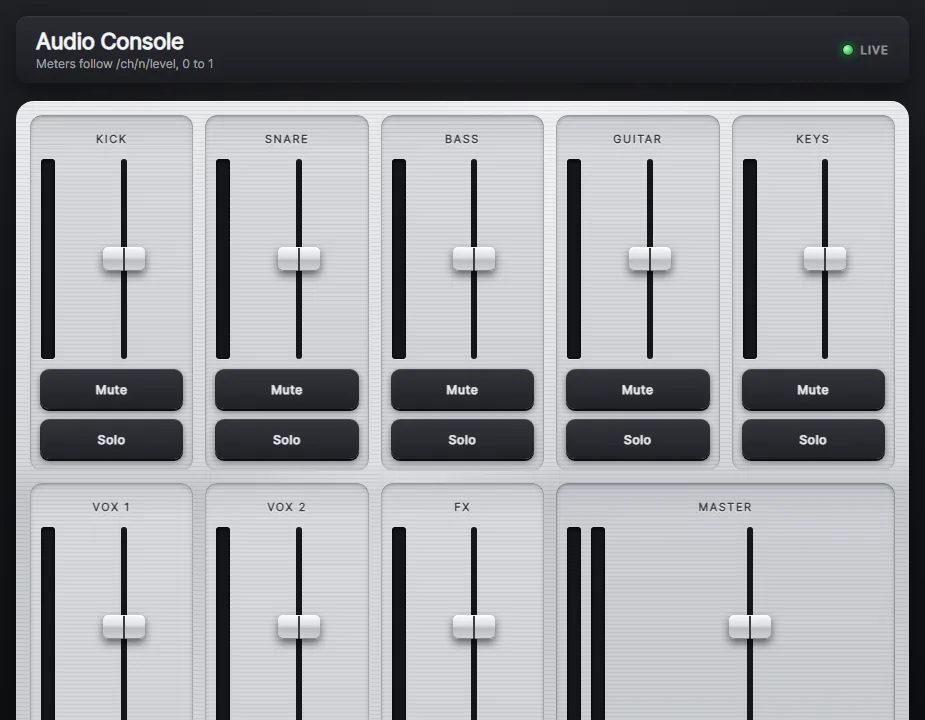
Audio Console template: eight aluminium channel strips with LED meters, faders, mute and solo, and a master.

Audio Console

Machined from aluminium: eight channel strips and a master, each a recessed LED meter beside a fader, with Mute and Solo under it. For a sound desk driven from a tablet, such as a digital mixer's OSC remote, Ableton, Reaper or QLab, or for watching levels from the back of the room: the meters listen.

Sends and receives OSC.
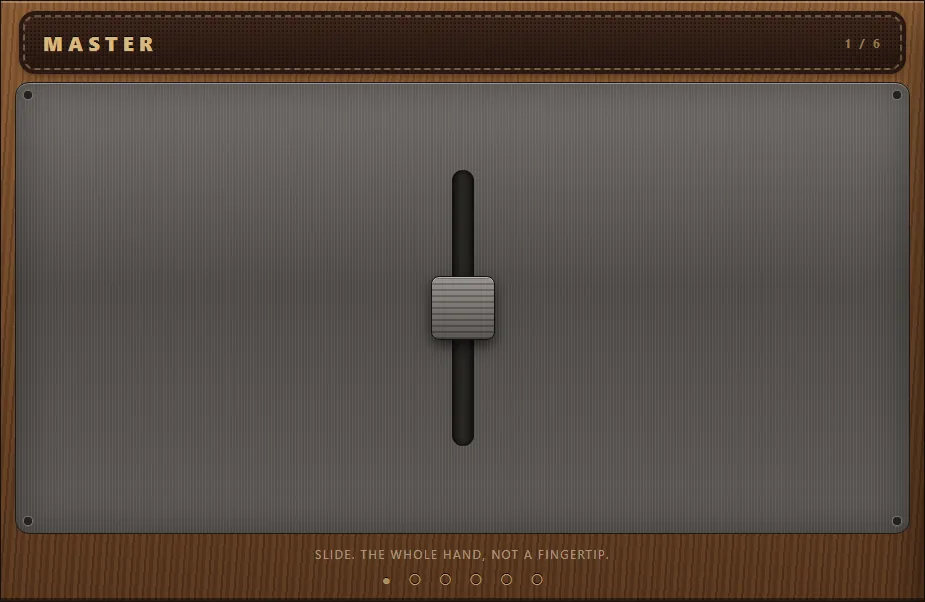
Big Thumb template: one large fader in a wooden case on a brushed-steel plate.

Big Thumb

One control per screen, each the size of a hand: a fader, a GO button, a pad, a colour, a level and four scene keys, mounted in a wooden case. On a phone the case becomes a gallery, one control filling the screen and a swipe snapping to the next, so a tired operator in the dark never has to aim.

Sends OSC.

MIDI instruments and controllers

These send MIDI rather than OSC, to the first MIDI output on the computer, so on Windows they make a sound straight away through the built-in synth. To play a DAW or a synth instead, pick its port on each control, or make a virtual port with loopMIDI and pick that.

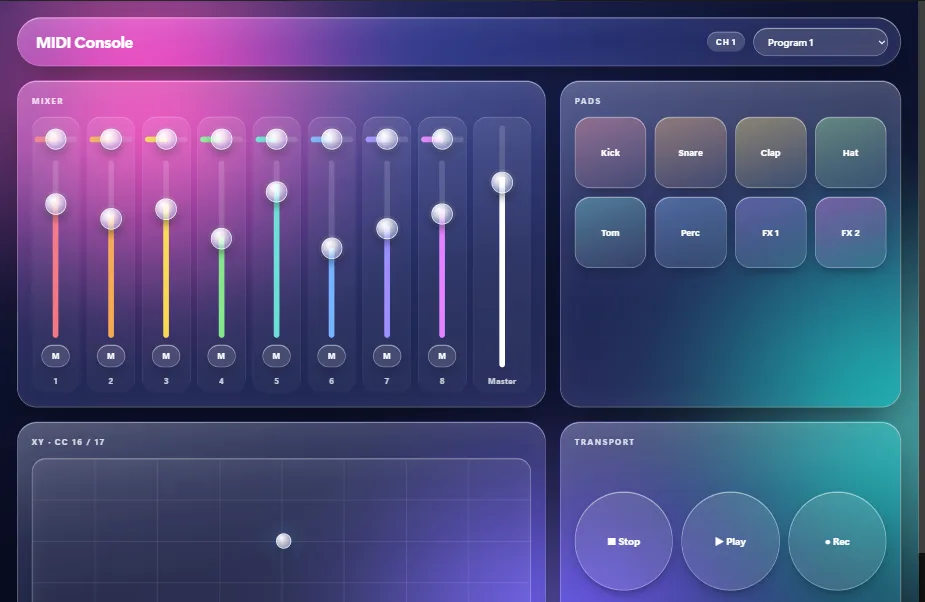
MIDI Console template: frosted-glass faders, pads, an XY pad and transport keys over colour.

MIDI Console, Liquid Glass

An eight-channel MIDI controller made of frosted glass floating over colour: eight strips (pan, fader, mute) and a master, eight pads, an XY pad, transport keys and a program picker. The numbers are the ones DAW controllers use, so MIDI Learn in Ableton Live, Bitwig, Logic, Reaper or TouchDesigner picks them up at the first touch.

Sends MIDI on channel 1. Guide
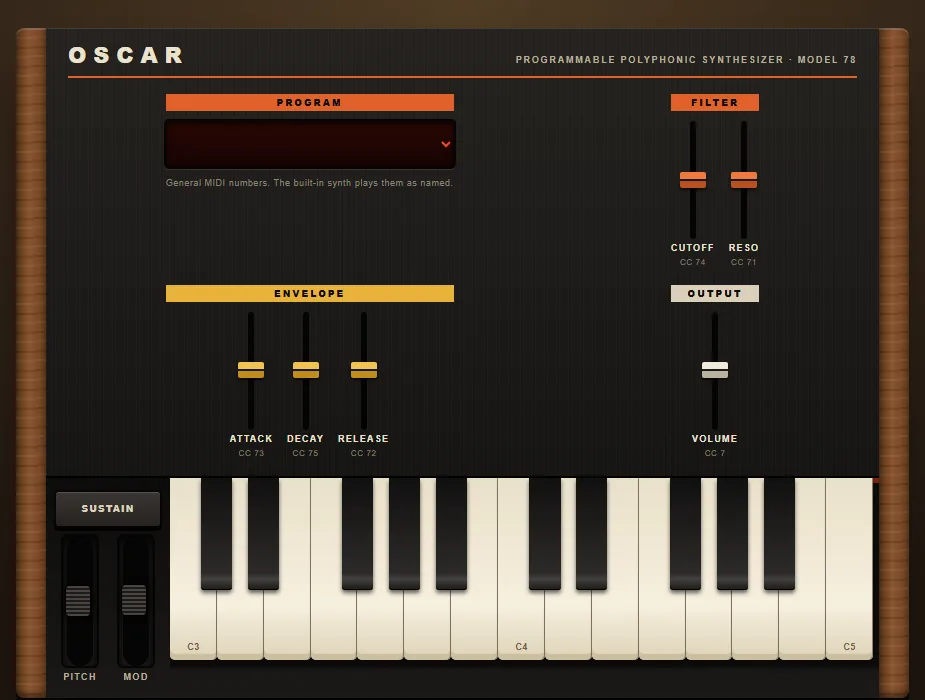
Synthesizer, 1978 template: walnut end cheeks, a black panel with coloured fader caps, and a 25-key keyboard.

Synthesizer, 1978

Walnut end cheeks, a black panel with coloured fader caps, a red LED program display, pitch and mod wheels, and a 25-key bed from C3 to C5. Cutoff, resonance, attack, decay and release send the standard controller numbers, and the computer keyboard plays the keys too.

Sends MIDI on channel 1.
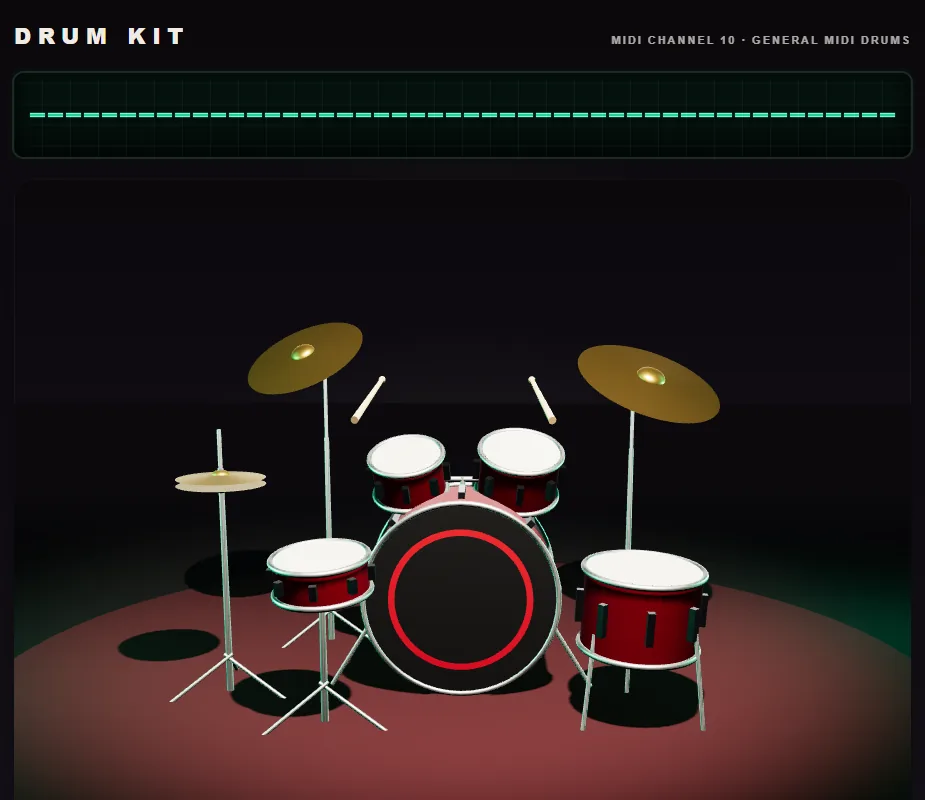
Drum Kit template: a five-piece kit on a lit stage with a pad for each drum and cymbal.

Drum Kit

A five-piece kit in three dimensions, lit on a rug, seen from the front row. Kick, snare and rim, two rack toms and a floor tom, a hi-hat that plays closed, open and with the pedal, a crash, and a ride with its bell. Tap a drum on the stage or a pad under it; every piece sends a General MIDI drum note.

Sends MIDI on channel 10.

Objects that send OSC

Playful interfaces that look like the thing, where every key and slider works and sends an OSC message named after it. Rename the addresses and they drive whatever you like; the lamps and meters on them listen, so send them OSC and they light.

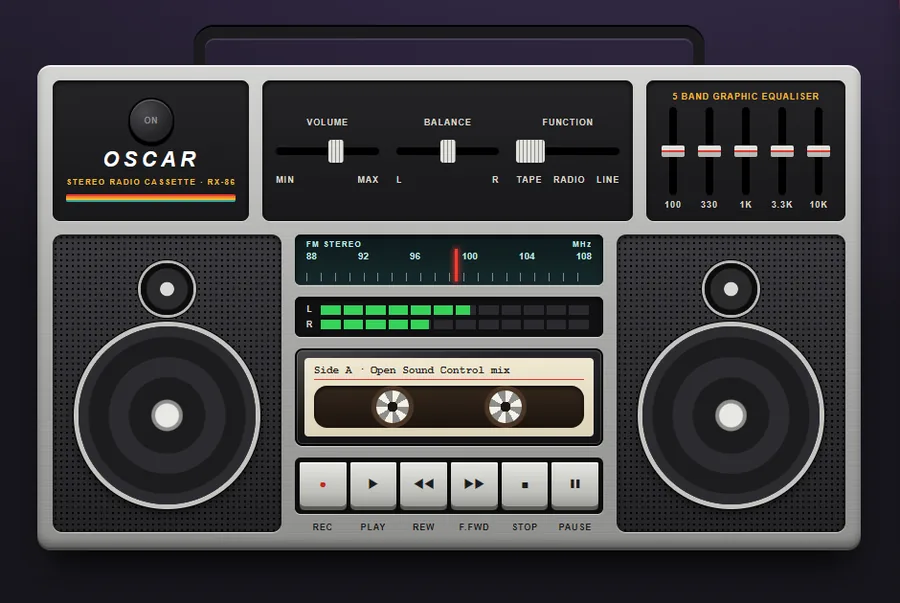
Boombox, 1986 template: brushed silver, two speakers, a tape door, piano keys, a tuner and a graphic equaliser.

Boombox, 1986

Brushed silver, two speakers behind punched steel, a tape door, piano keys that stay down, a tuner under glass, a five-band graphic equaliser and two rows of level lights.

Sends and receives OSC.
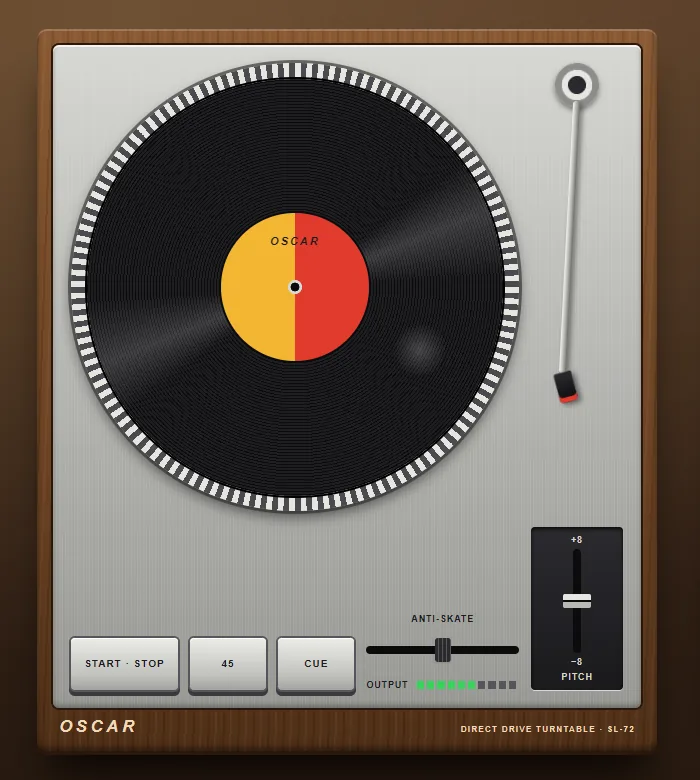
Turntable, 1972 template: a walnut plinth, a platter with strobe dots, a straight tonearm and a pitch fader.

Turntable, 1972

A walnut plinth, a brushed top plate, strobe dots round the platter, a straight arm, a pitch fader and three square keys. START turns the platter, 45 turns it faster, CUE swings the arm over the record, and the record itself can be touched.

Sends and receives OSC.
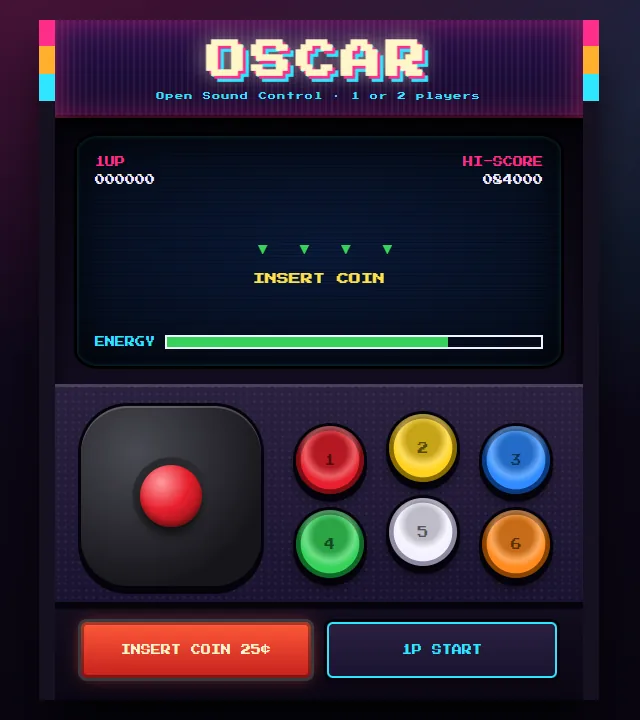
Arcade Cabinet template: a lit marquee, a screen behind glass, a ball-top joystick and six coloured buttons.

Arcade Cabinet

A lit marquee, a screen behind glass, a ball-top joystick, six coloured buttons and a coin door. The screen answers the coin and the start button, and its ENERGY bar listens.

Sends and receives OSC.
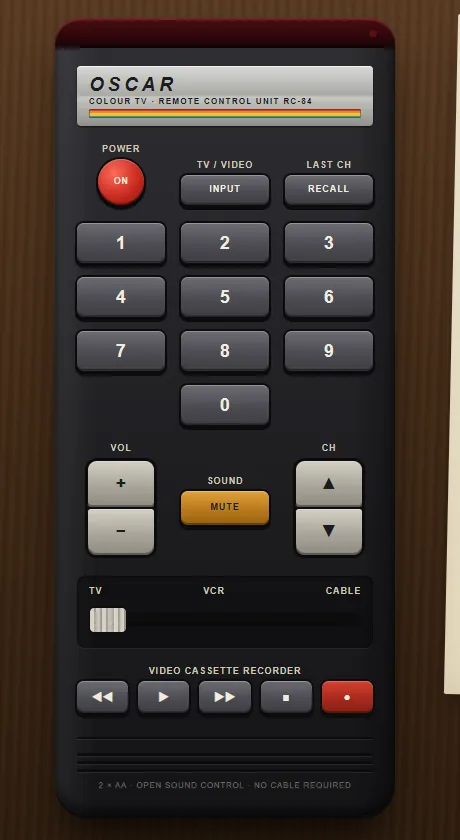
TV Remote, 1984 template: a black handset with grey rubber keys, a red power key and a rainbow stripe.

TV Remote, 1984

A handset from the year the remote stopped being a cable. Black plastic, grey rubber keys, a red POWER, a rainbow stripe, a slide switch for TV, VCR and CABLE, and the leaflet from the box, which lists every address.

Sends OSC.
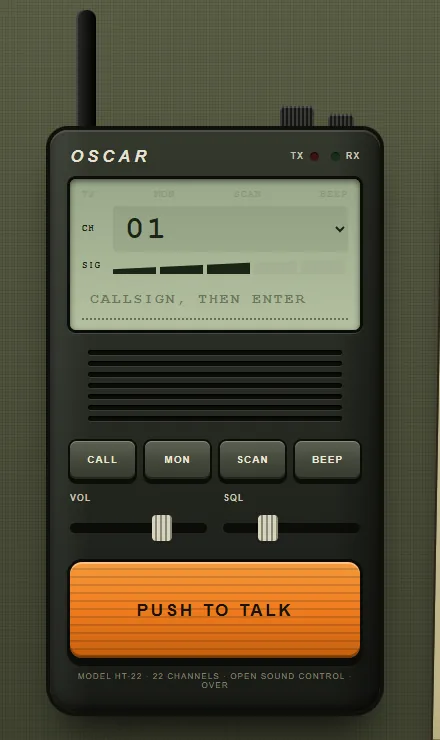
Walkie-Talkie template: an olive handset with a rubber aerial, a small display and one big orange key.

Walkie-Talkie

An olive handset with a rubber aerial, a grey-green display, a speaker grille and one big orange key. Hold it and you are on the air; let go and you are off. The signal bars listen.

Sends and receives OSC.
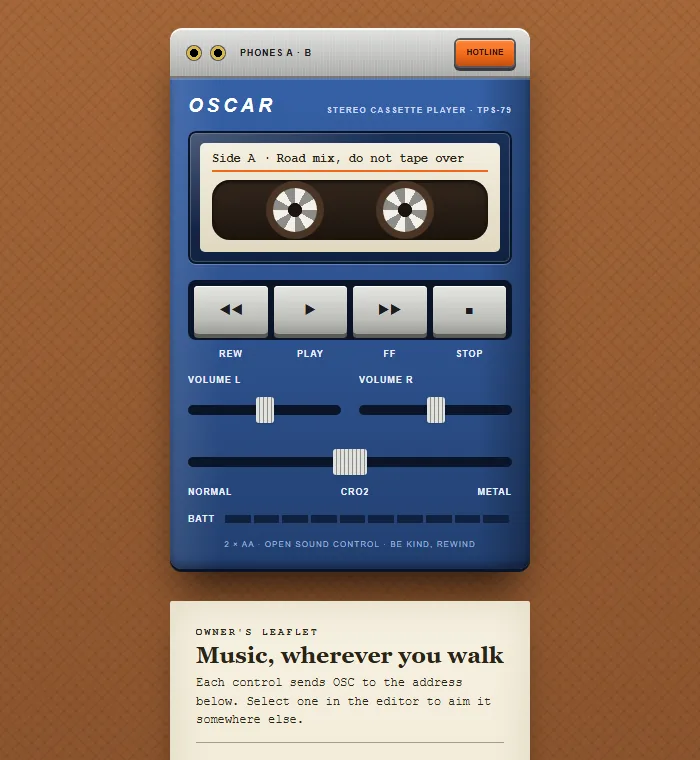
Personal Cassette Player, 1979 template: a blue case with a tape behind a door, two volume sliders and an orange hotline key.

Personal Cassette Player, 1979

Blue case, silver cap, a tape behind a door, a volume slider for each ear, two headphone sockets and the orange key that let you talk over the music. The battery lamps listen.

Sends and receives OSC.
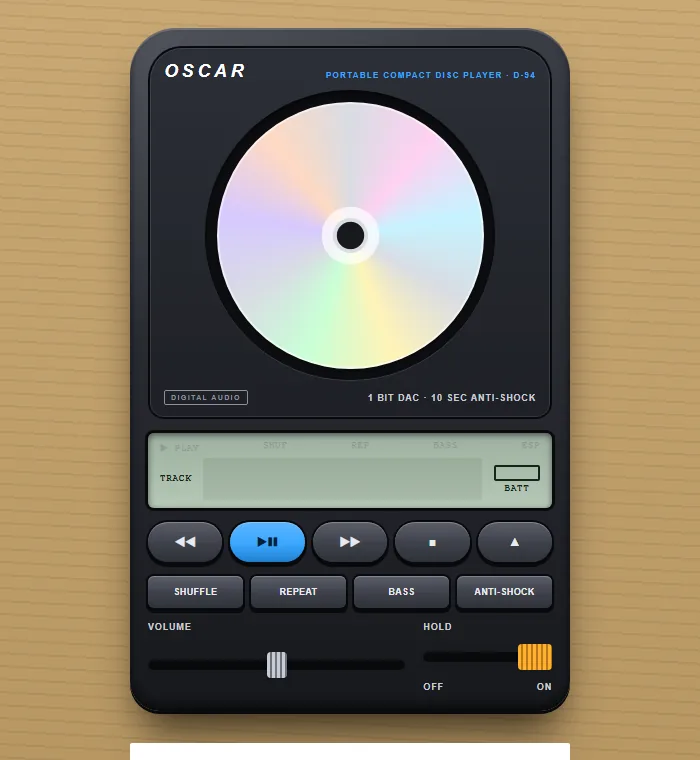
Portable CD Player, 1994 template: a dark rounded slab with a disc under a window, a grey-green display and a blue play key.

Portable CD Player, 1994

A dark rounded slab that is mostly lid, a disc that catches the light through the window, a grey-green display, a blue PLAY key, bass boost, anti-shock and a HOLD switch nobody ever meant to leave on. The battery on the display listens.

Sends and receives OSC.
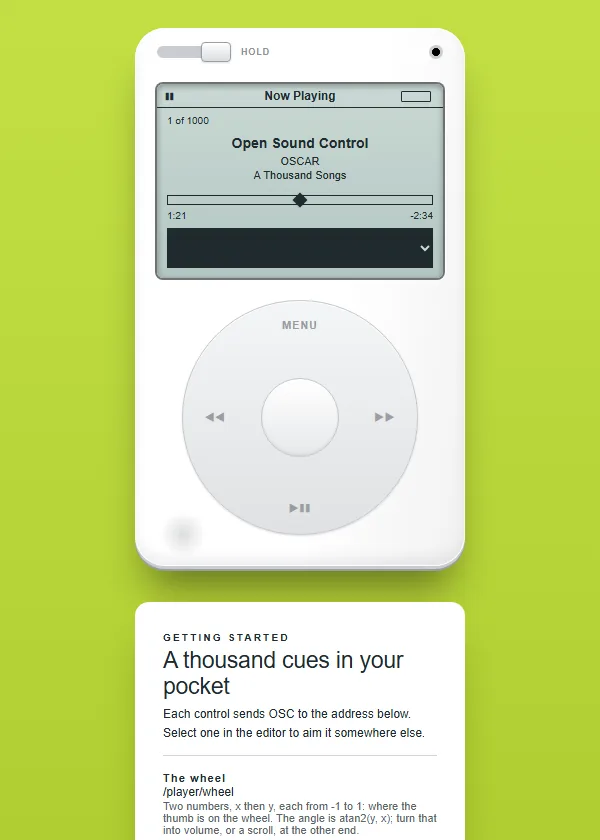
Click Wheel Player, 2004 template: a white player with a grey display and one wheel.

Click Wheel Player, 2004

White front, steel back, a grey display and one wheel. The wheel reports where your thumb is, as an angle, so it can turn a volume or scrub a timeline; the battery on the display listens.

Sends and receives OSC.

The showcase

OSCAR Showcase template: the OSCAR logo over a dark hero, the first section of a scrolling page of live controls.

OSCAR Showcase

A scrolling page that shows what OSCAR can do, where every example is a live control: buttons, faders, pads, pickers, meters and text, each already sending. It is here to be pulled apart: take a section, restyle it, point the widgets at your own rig.

Sends OSC.

Make your own

A template is a starting point, not a limit. The editor has buttons, sliders, faders, XY pads, colour pickers, meters, dropdowns and text inputs, each with its own OSC, MIDI or DMX settings, and any CSS you like. If you would rather describe it than draw it, an AI assistant can draft the interface and you open the draft in OSCAR.